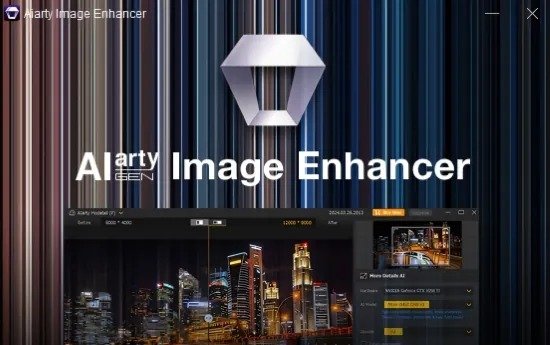
Aiarty Image Enhancer Portable is a powerful, desktop‑based AI photo‑enhancement application designed to take low‑quality, noisy, blurry, or compressed images and transform them into cleaner, sharper, and higher‑resolution versions with minimal manual intervention. Built around modern generative‑AI and super‑resolution models, it focuses on denoising, deblurring, sharpening, and upscaling while trying to preserve the natural look and color fidelity of the original image.
The software is aimed at photographers, designers, e‑commerce teams, and hobbyists who regularly work with imperfect captures—from high‑ISO night shots to old scanned images or heavily compressed web photos—and who want a fast, one‑click or near‑one‑click way to “rescue” and repurpose those files.
Core idea and target audience
At its heart, Aiarty Image Enhancer Portable is built around the idea that many photos can be substantially improved not by complex editing but by intelligent reconstruction. Instead of simply applying filters or aggressive sharpening that can introduce artifacts, the software uses AI models trained on large datasets of real and synthesized images to:
- Predict and rebuild missing or degraded details, such as fine textures in hair, fabric, or foliage.
- Suppress noise and grain from low‑light or high‑ISO shots without flattening textures or producing a “plastic‑skin” look.
- Reverse blur caused by motion, camera shake, or slight focus errors, restoring edges and clarity.
- Increase resolution by upscaling images (often 2×, 4×, or even higher) while minimizing new artifacts.
The target audience is broad but generally includes:
- Photographers dealing with event, wedding, concert, or wildlife shots where the original capture is noisy, underexposed, or cropped tightly.
- E‑commerce and product teams who need to clean up or upscale product images taken in less‑than‑ideal conditions.
- Designers and social‑media creators who want to improve screenshots, promotional images, or older graphics for modern high‑resolution displays.
- Hobbyists and families restoring old portraits, scanned photos, or low‑resolution snapshots for printing or sharing.
For these users, Aiarty Image Enhancer becomes a dedicated “image‑rescue” tool that sits between the camera or scanner and the main editing suite, handling the heavy lifting of noise, blur, and resolution issues so that the final image is already in a much better state before further color‑grading or compositing.
Key enhancement modules
Aiarty Image Enhancer typically bundles several major enhancement modes into a unified interface, letting you combine or stack them as needed for different types of images.
1. Upscaling and detail‑enhancement
The standout feature is AI‑driven upscaling, which can enlarge images to significantly higher resolutions (commonly up to 4K, 8K, or even 16K or 32K in some workflows) while trying to keep the result visually coherent. The software:
- Analyzes the image at multiple scales to reconstruct fine details such as hair strands, fabric weave, and plant textures instead of just stretching pixels.
- Determines how aggressively to sharpen or add details based on the underlying content, reducing the risk of “hallucinated” patterns or jagged edges.
- Often lets you choose between different upscale factors (for example, 2×, 4×, 8×) or custom resolution presets, so you can balance file size and quality for printing versus web display.
This capability is especially useful for:
- Enlarging cropped wildlife or distant portraits to make them suitable for large prints or high‑resolution screens.
- Converting old, low‑resolution screenshots or digital artifacts into usable, modern‑sized graphics.
- Preparing AI‑generated or synthetic images (such as those from text‑to‑image tools) for higher‑end applications.
2. Denoising and low‑light cleanup
Noise and grain from high‑ISO shooting or low‑light conditions are a major source of image degradation, and Aiarty Image Enhancer includes a dedicated AI denoise engine to address this. The software typically:
- Uses diffusion‑ or GAN‑style models that are trained on real photographic data to distinguish between true textures and random noise.
- Reduces noise in shadows, midtones, and highlights while attempting to preserve edges, fine details, and subtle tonal transitions.
- Offers different denoise profiles or strength sliders so you can decide how aggressive the cleanup should be, avoiding the overly smooth “waxy” look that some tools produce.
This is extremely valuable for:
- Night‑time cityscapes, astrophotography, or indoor shots taken with limited artificial light.
- Concert or event photography where fast action forces the camera to use high‑ISO settings.
- Older digital files that already show visible noise when enlarged.
3. Deblurring and sharpness recovery
Beyond noise, many useful images are held back by blur—whether from motion, slight camera shake, or shallow depth of field that went too far. Aiarty Image Enhancer includes blur‑reduction and sharpening tools that:
- Estimate the blur kernel or motion pattern in parts of the image and then attempt to reverse or mitigate it.
- Apply selective sharpening that targets actual edges and structures, rather than amplifying every pixel, which helps keep the image from becoming harsh or “halo‑ridden.”
- Can often work on both small localized blur spots and larger areas affected by general softness.
These tools are ideal for:
- Fixing images that were slightly out of focus or shaken during capture.
- Sharpening images that have been overly compressed or resized in the past, where details have been softened by JPEG or other lossy algorithms.
- Enhancing images that will be heavily cropped or enlarged, so that the upscaling step has more coherent structure to work with.
4. Face restoration and portrait refinement
Recognizing that many users work with portraits and selfies, Aiarty Image Enhancer often includes a specialized face‑restoration module. This mode:
- Detects facial regions and applies a tailored enhancement pipeline that focuses on skin texture, eyes, lips, and hair.
- Smooths minor imperfections such as blemishes, redness, or minor acne, while leaving pores and natural skin structure intact to avoid an artificial “filtered” look.
- Enhances facial contrast and detail, making eyes and features more defined, especially in underexposed or low‑resolution portraits.
This is directly useful for:
- Cleaning up casual selfies or party photos taken in poor lighting.
- Restoring older family portraits that have lost clarity over time.
- Preparing headshots or model images for portfolios or marketing where facial detail and clarity matter.
Model variants and “architectures”
To handle different types of imagery, Aiarty Image Enhancer usually offers multiple AI models or “architectures” that you can choose based on the content:
- AIGC‑oriented models (for AI‑generated content): tuned for synthetic or heavily stylized images, these models aim to add more clarity, smoothness, and better‑defined textures while compensating for the artifacts that commonly appear in AI‑art images.
- Real‑photo models (for traditional photography): trained on real‑world camera captures, these models focus on preserving natural color, tone, and texture while dealing with noise, compression, and blur.
- Face‑restoration‑specific models: optimized for portraits, they emphasize skin, eyes, and hair detail and may blend multiple enhancement passes rather than relying on a single global sharpening or smoothing operation.
Each model typically exposes a set of sliders or “strength” controls so you can blend the AI enhancement with the original image, giving you a way to dial in how much “AI” is applied versus a more conservative, photo‑realistic approach.
AI‑driven erasing and object removal
In addition to pure enhancement, Aiarty Image Enhancer usually includes a built‑in AI eraser tool that lets you remove unwanted elements from photos without needing a full‑fledged editor. The eraser:
- Lets you brush over objects, people, text, or other distractions you want to eliminate.
- Uses inpainting‑style AI to fill in the missing area with textures and colors that match the surrounding context, mimicking the background, sky, or other surfaces.
- Can be combined with the main enhancement models, so that the area you erase and refill can also benefit from noise‑reduction, sharpening, or upscaling, maintaining consistency with the rest of the image.
This capability is handy for:
- Removing photobombers, distracting signs, or reflections from the background of a portrait.
- Stripping watermarks, text overlays, or product labels from photos reused for design or branding.
- Cleaning up product shots or banners where small imperfections break the composition.
Raw and pro‑format support, color fidelity, and export
To support professional workflows, Aiarty Image Enhancer typically works with a broad range of image formats:
- Camera RAW and DNG files, so photographers can enhance images directly from the camera’s sensor data.
- TIFF and high‑bit‑depth formats used in print and archival workflows.
- HEIC and modern compressed formats, letting you work with images from newer smartphones and tablets.
The software often emphasizes color fidelity and tone preservation, using AI‑assisted color‑reconstruction to:
- Restore or stabilize colors that may have shifted due to noise, compression, or poor white balance.
- Adjust exposure and contrast in a way that feels natural, avoiding the overly saturated or crushed‑shadow look that some AI tools produce.
- Allow you to export the final image in multiple resolutions and formats suitable for printing, web, or social media, including:
- High‑resolution TIFF or PNG for lossless, print‑ready output.
- Compressed JPEG or WebP for web use, with adjustable quality to balance file size and clarity.
- Animated or sequence formats in some workflows, especially when processing multiple images or frames.
These export options make it easy to fit Aiarty Image Enhancer into existing pipelines, whether you are preparing a portfolio for print, uploading images to an e‑commerce platform, or generating social‑media posts.
Batch processing and turbo‑accelerated workflows
Because photographers and designers often deal with large volumes of images, Aiarty Image Enhancer typically includes batch‑processing capabilities that let you:
- Add multiple files or entire folders to a queue.
- Apply the same enhancement profile (upscale factor, noise‑level, blur‑strength, or face‑restoration settings) to all images in one go.
- Use turbo or accelerated modes that leverage GPU acceleration and optimized AI kernels to process images faster than single‑file, manual runs.
This batch support is crucial for:
- Cleaning up and upscaling entire wedding or event shoots.
- Preparing product catalogs or gallery pages where every image must be treated consistently.
- Processing large collections of older photos or scanned files for archiving or printing without manually editing each one.
The software often runs entirely offline on your local machine, so your images are not uploaded to external servers, which is important for privacy‑sensitive or commercially sensitive content.
User interface and ease of use
The interface of Aiarty Image Enhancer is generally designed to be straightforward and focused on the enhancement workflow rather than on complex layering or compositing. Typical UI elements include:
- A central preview area where the original and enhanced images are shown side by side, often with a slider or split view that lets you compare before and after states.
- Toolbars or panels that group related functions: upscaling, noise reduction, deblurring, face restoration, and AI eraser.
- Sliders and numeric controls that let you adjust the strength of each enhancement pass, usually with real‑time previews so you can see the effect as you tweak it.
- A history or “presets” panel that stores frequently used settings, making it easy to apply the same configuration to new images without re‑configuring every slider.
Despite the powerful AI under the hood, the software is usually built for quick, intuitive use: you load an image, choose a model or preset, adjust one or two key parameters, and let the software generate the enhanced version. More advanced users can fine‑tune the process, but the default workflows are aimed at reducing the learning curve.
Use cases and practical workflows
Aiarty Image Enhancer fits naturally into several real‑world scenarios:
- Photography rescue: taking noisy, blurry, or heavily compressed photos and restoring them to a state suitable for printing or client delivery.
- E‑commerce and product imaging: cleaning up and upsizing product shots taken in suboptimal lighting or with limited camera equipment.
- Portrait and social‑media editing: improving selfies, family photos, and promotional headshots by reducing noise, sharpening details, and refining facial features.
- AI‑art refinement: enhancing low‑resolution or artifact‑ridden images generated by text‑to‑image tools, making them usable for professional or commercial contexts.
- Archival and restoration work: digitizing and improving old photos, slides, or film scans that suffer from grain, scratches, or blur.
In each of these domains, the software reduces the time and effort required to get a “good enough” image, often producing results that would be difficult to achieve with traditional tools alone.
Strengths and limitations
Like any AI‑driven enhancement tool, Aiarty Image Enhancer has clear strengths and some inherent limitations:
Strengths include:
- Powerful upscaling and detail‑reconstruction that can significantly increase the usable resolution of low‑quality images.
- High‑quality denoising and deblurring that preserves textures and avoids the overly plastic or “over‑sharpened” look.
- Face‑restoration and portrait‑refinement tools that make portraits look cleaner and more professional without obvious AI artifacts.
- AI eraser functionality that lets you remove objects and distractions quickly and convincingly.
- Support for modern formats (including RAW, DNG, TIFF, HEIC) and offline operation, which is important for both pro and privacy‑conscious workflows.
- Batch processing with GPU‑accelerated rendering, which greatly speeds up large‑scale enhancement projects.
Limitations typically include:
- Heavy reliance on the underlying AI models: if the software cannot recognize the content correctly (for example, in extremely abstract or highly stylized images), artifacts may appear.
- The need to balance enhancement aggressiveness with naturalness; over‑cranking sliders can sometimes introduce halos, ringing, or unnatural textures.
- Larger file sizes after upscaling, which can be an issue for web or storage‑limited contexts unless you manage resolution and export carefully.
These trade‑offs are common in the AI‑enhancement space, but for many users the benefits of having a single, fast, high‑quality tool for rescuing and improving images far outweigh the drawbacks.
Overall user experience and positioning
Aiarty Image Enhancer positions itself as a dedicated AI‑powered image‑rescue workstation that sits between your camera, scanner, or AI generator and your main editing environment. Rather than trying to compete with full‑featured photo editors, it focuses on the narrow but critical tasks of upscaling, noise reduction, blurring recovery, and face‑driven refinement. The combination of multiple AI models, batch processing, and offline operation creates a workflow that is both powerful and relatively simple to use.
For photographers, designers, and creators who regularly encounter low‑quality or compromised images, Aiarty Image Enhancer offers a practical, high‑performance way to turn those images into clean, usable assets without resorting to time‑consuming manual retouching or complex multi‑tool workflows. By automating the most tedious aspects of image enhancement—noise, blur, low resolution, and minor distractions—it lets users spend more time on creative decisions and less time fixing the technical shortcomings of their captures.
Optimized for AI-generated Images[SD + MJ]
More Details
Generate more details. Deliver more clarity and sharpness. Better perceptual quality.
Generative Enhancement
Ultra-clarity and abundant details for low-quality and low-resolution images. No artifacts.
Bigger. And Clearer.
3 AI models, up to 8x upscaling, and 32K Hollywood-level quality and resolution.
Better Skin, Hair & Texture
Not only denoise, but also reconstruct
Generative AI Models
Enlarge Al-generated images, restore flawed photographs, and improve low-quality JPEGs, ensuring unparalleled clarity and details.
Download: Data Vaults